Pilot Agent: When Metadata Isn’t Enough
When we launched Pilot, the headline was simple: no JMX, no broker-side changes, no sidecars. Just point it at the bootstrap servers and it works.
That’s still the default. And it’s still enough for most teams.
But there are things Kafka’s protocol cannot tell you. How much CPU is the host using? Is the disk filling up faster than partitions explain? Can I restart broker-2 from the UI without SSHing into a jumpbox?
That’s why we built the Pilot Agent.
Opt-In, Not Required
The agent is optional. Run it on the brokers that need it, skip it on the ones that don’t. Agentless Pilot keeps working exactly as before.
You add an agent when you want the next layer:
- Host metrics (CPU, memory, disk, network)
- Live Kafka log tailing
- Broker lifecycle from the UI (restart, stop, start)
- Auto-discovery of the local Kafka install
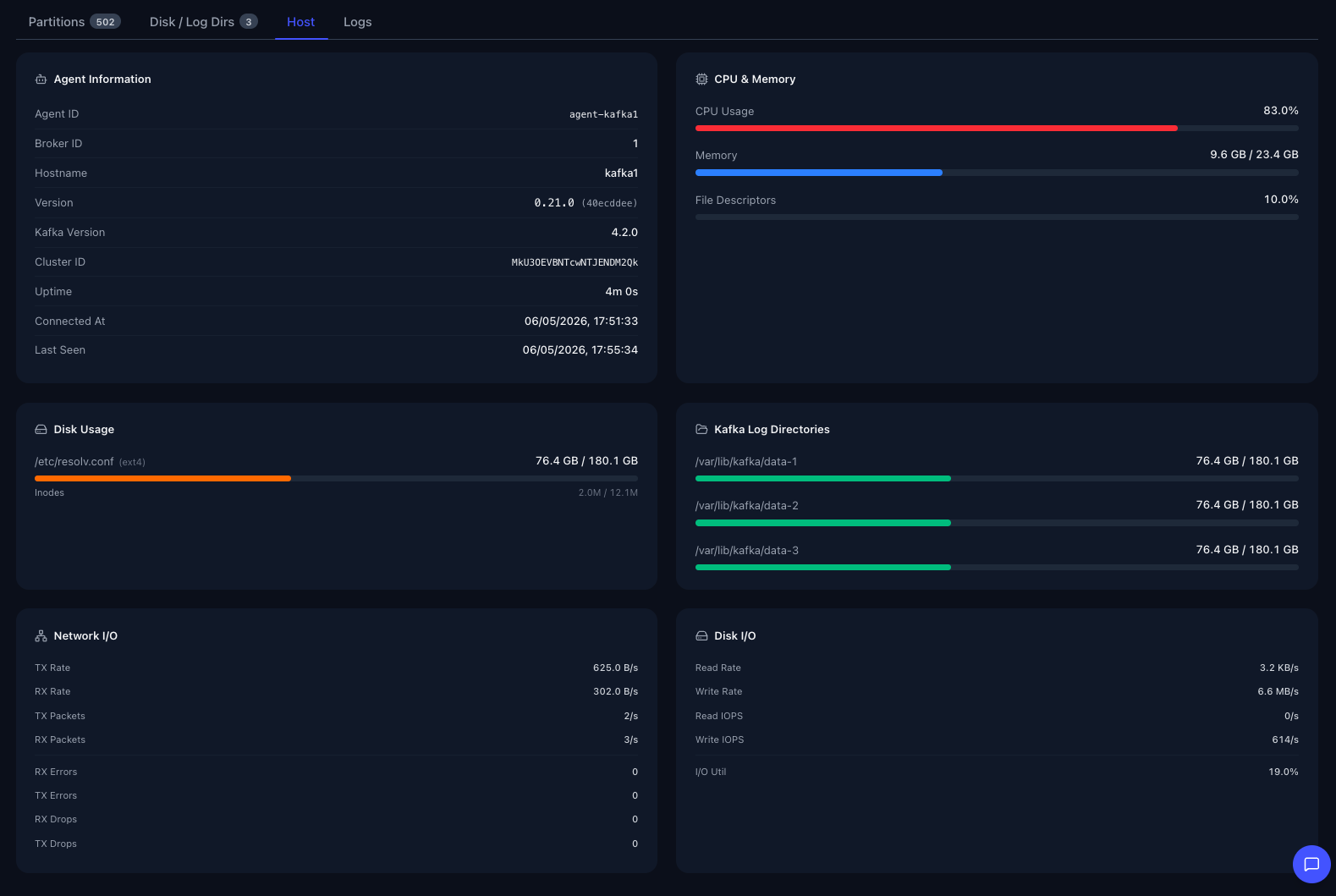
The Host tab on a broker pulls everything straight from the agent: CPU load, memory pressure, file descriptors, disk usage per mount with inode counts, per-log-dir capacity, network I/O, and disk I/O alongside the auto-discovered Kafka version, agent version, cluster ID, and uptime. No separate dashboard, no JMX exporter, no extra moving parts.
Live Log Tailing
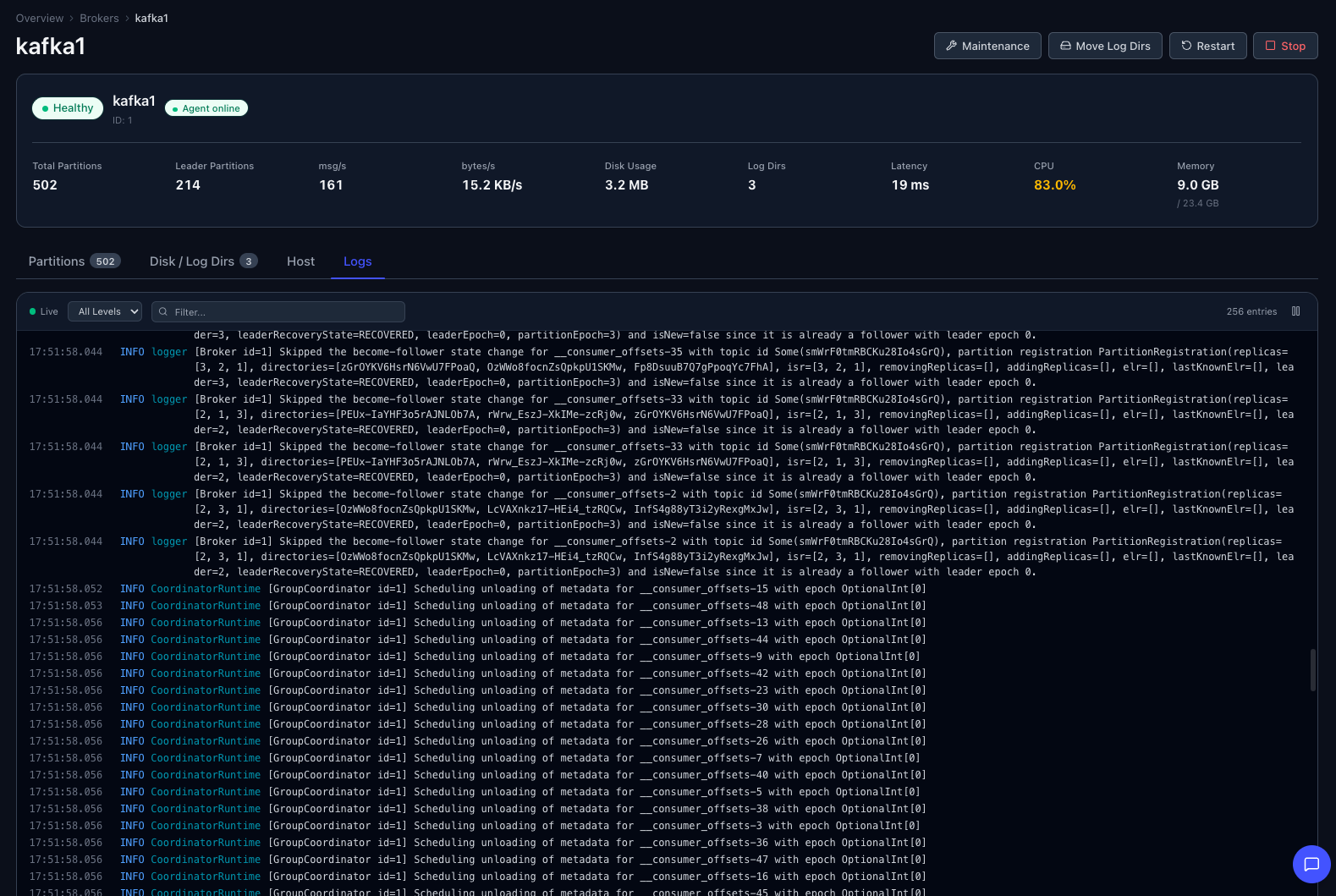
The same broker view gets a Logs tab. Filter by level, follow in real time, and stop wondering whether a 3am ERROR is actually showing up in the file.
Lifecycle From the UI
Once agents are running, the Brokers page gets restart, stop, and start actions. They go through the agent, hit your existing service manager (systemd, Docker, or plain exec), and flow through Pilot’s audit log like every other mutation. No more “ssh in, run systemctl, watch journalctl” for routine restarts.
For fleet-wide work there’s also a guided rolling restart with built-in preflight checks.
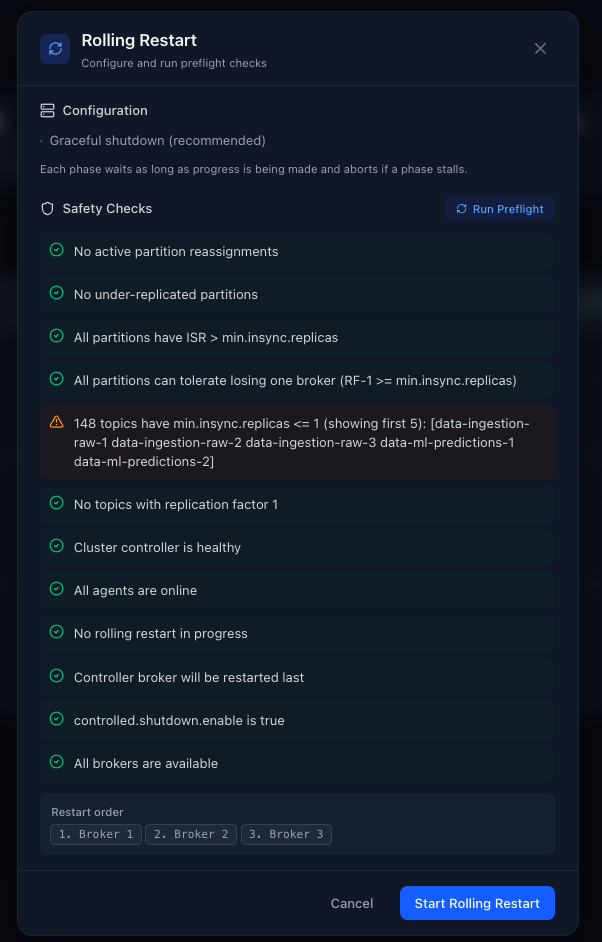
Pilot runs the preflight before you start: no active reassignments, no under-replicated partitions, ISR above min.insync.replicas, controller healthy, all agents online, controlled.shutdown.enable set, and a sensible restart order with the controller last. If anything fails, you see it before the first broker goes down.
Designed to Be Boring on Security
The agent runs as a dedicated unprivileged user. Lifecycle commands escalate through a narrow allow-list, nothing else. Agent-to-server traffic is mutual TLS by default, and the agent’s private key never leaves the host. Bring your own CA or let Pilot generate one.
Pick Your Deploy Path
- One-click SSH deploy from the Pilot UI
- Install script
- Signed RPM and DEB packages
- Docker / Kubernetes sidecar
- Manual / air-gapped
Pick whichever fits your environment.
What This Doesn’t Change
- Agentless monitoring is still the default and still covers everything Kafka’s metadata exposes.
- Mutations still require a Pilot license.
- Everything still flows through the audit log.
- Still a single distroless container with no external database.
Try It
Full setup is in the docs . If you’re already running Pilot, enable agents on the server, generate a bootstrap token, and deploy your first agent from the UI.
If you’re new to Pilot, start with the quick start and add agents later when you want them.
We’re still looking for teams running Kafka in production who want to help shape what’s next. If that’s you, reach out.

